


The Press Democrat
3.6138.00 Reviews
App Specs
- Version
- 10.0.60
- Updated On
- License
- Free
- Downloads
- 10,000+
- Developer
- MediaNews Group, Inc.
- Categories
- News & Magazines
- Platform
- Android
Screenshots
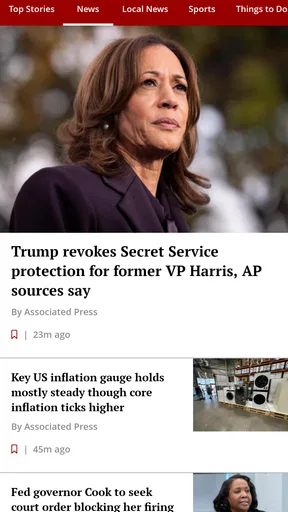
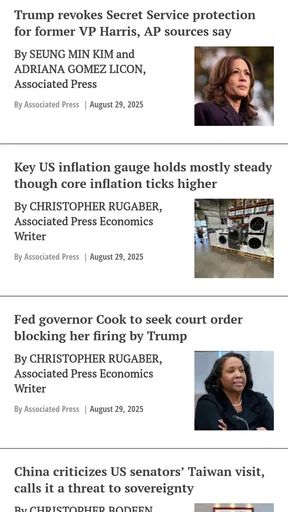
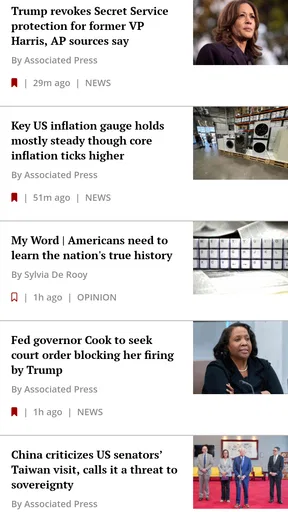
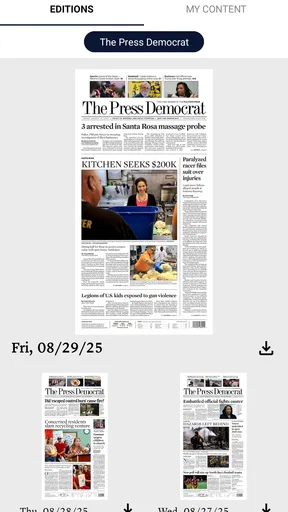
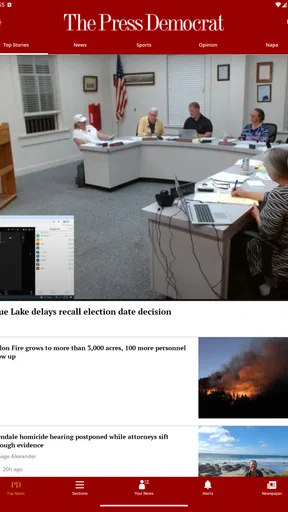
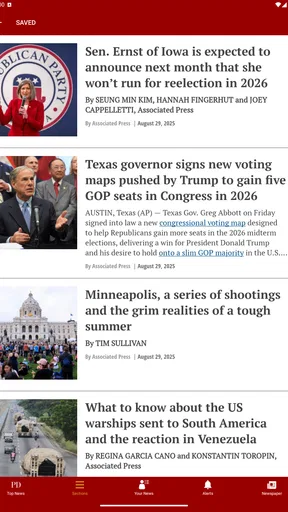
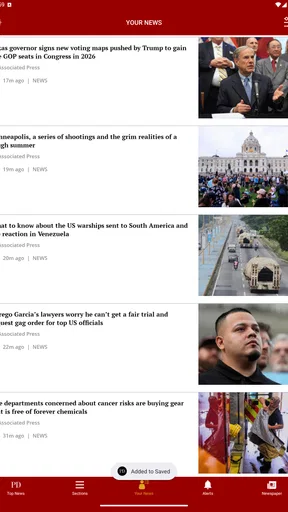
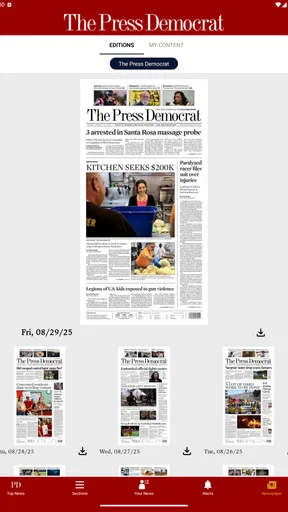
 Analysis by AppCompare
I found The Press Democrat most useful when I treated it as a focused local-news companion rather than a complete replacement for every news source on my phone. Developed by MediaNews Group, Inc., this free News & Magazines app is built around the Press Democrat publication and aims to put relevant updates closer to the reader through personalized notifications. That narrow purpose is also its main strength: it can feel more practical than a broad national news app when my attention is on the local area and the stories affecting daily life there.
My overall view is positive but measured. The app is easy to understand, costs nothing to install, and suits readers who want a direct connection to one newspaper. At the same time, the experience is not as universally smooth or comprehensive as a large news aggregator. The average rating sits at 3.6 from around 280 ratings, which matches my impression that the app has a useful core but may not satisfy everyone’s expectations around polish, breadth, or the balance between free access and subscription-related features.
What using The Press Democrat feels like
The first thing I noticed is that this is a publication-centered app, not a general-purpose news dashboard. That distinction matters. Instead of asking me to build a news routine from dozens of unrelated outlets, it keeps the Press Democrat at the center. For someone who already follows that newspaper, this feels more direct than opening a browser, searching for the publication, and sorting through a wider web page each time.
The app’s main idea is personalization. Its store summary emphasizes news chosen for the reader and notifications tailored to individual interests. In practical terms, that makes the notification decision important. I would not enable every alert automatically. Local news can be valuable precisely because it is timely, but too many interruptions can make the phone feel noisy. I prefer to allow only the notifications that help me act or understand what is happening, then read less urgent coverage when I have time.
That approach gives the app a sensible role in a daily routine. I can check it in the morning for important local developments, glance at it during a lunch break, and return in the evening when I want more context. It is not trying to replace a long-form reading habit, a national breaking-news service, or a social feed. Its best use is as a dependable doorway into one newspaper’s coverage.
The app is available at no upfront cost, which makes trying it straightforward. It is rated for Everyone, and the current version is 10.0.60, with support beginning at Android 8.0. Those details make it approachable for a wide range of Android users, although people with older phones should check their operating-system version before expecting to install it. The app has been around since Dec 3, 2012, so it is not a brand-new experiment; it belongs to a mature publication-app category that has had time to develop a recognizable reading workflow.
Where the focused approach works best
The strongest evidence in favor of The Press Democrat is its local focus. A national news app may give me more topics, but that does not mean it gives me more useful information. When I care about nearby events, community decisions, regional developments, or local reporting, a publication-specific app can reduce the time spent filtering irrelevant headlines. The value is not simply the number of stories on screen. It is the chance to begin with a source whose editorial purpose is already narrower.
Worth Reading Before You Choose

EA SPORTS FC Mobile 26 Is a Bigger Football Game, but It Takes Time

Flipboard Shows What News Apps Must Do Beyond the Feed

Switching to Android Auto Means Rethinking Your Driving Routine

Google Calendar Makes a Crowded Week Easier to Manage

Ludo King Makes the Most of the Minutes Between Plans

Baby Panda World Brings Quick Play to Modern Phones, but Its Game Library Feels Busy
I also like the idea of separating notifications from casual browsing. A notification should answer a practical question: do I need to know this now? If the answer is yes, an alert can save me from repeatedly checking the app. If the answer is no, opening the app on my own schedule is less distracting. This is a small workflow choice, but it is one of the more useful ways to get value from a personalized news application without letting it dominate the day.
Another advantage is continuity. Using a newspaper’s own app can make it easier to follow developing coverage in one place instead of encountering isolated links through search results or social media. When a story changes over time, returning to the same publication gives me a clearer sense of the outlet’s ongoing reporting. That is more useful than treating every headline as a separate item with no relationship to what came before.
The publication-specific design also makes the app a reasonable choice for readers who want local reporting without constantly comparing sources. I would still cross-check major claims, especially when a story affects a personal decision, but I do not need a broad aggregator for every visit. The Press Democrat works best when the reader values relevance and continuity over endless variety.
A realistic everyday routine
Imagine a reader who lives in the area covered by the newspaper and wants to stay aware of local developments before commuting or starting work. The most effective routine would be to open the app once in the morning, scan the leading items, and tap only the stories that could affect the day. The reader could then keep notifications limited to genuinely important updates rather than turning every headline into an interruption.
Later, that same reader might return to read a fuller article during a quiet moment. This is where the app’s role becomes clearer: it is not merely an alert tool. It can be the starting point for a more deliberate reading habit. I would use the quick check for awareness and save deeper reading for when I can concentrate. That two-stage workflow is more comfortable than reacting to every notification as if it were urgent.
There is also a useful household scenario. One person may care about local public issues, while another mainly wants community updates and general regional coverage. A publication-focused app can serve both readers without requiring them to assemble separate feeds from several national services. The trade-off is that neither reader should expect the breadth of a large multi-source platform. The benefit is a cleaner relationship with one established local outlet.
The important limitations before installing
The main weakness is scope. If I want international headlines, technology coverage, business news from many regions, sports from several leagues, or a wide range of viewpoints in one screen, this is not the most efficient choice. A general news aggregator will usually do that job better. The Press Democrat makes more sense when local relevance is the priority, not when variety is the priority.
There is also a potential access trade-off. The app is free to download, but in-app purchases range from $14.99 to $174.99 per item. That does not make the installation itself expensive, but it does mean readers should pay attention to what is available without payment and what may be connected to a subscription or other purchase. I would not assume that “free” means every article or reading option is permanently unrestricted. Before committing money, I would first use the free experience long enough to decide whether the publication’s coverage fits my habits.
This is especially important for occasional readers. Someone who checks local news only once every few weeks may not gain enough from a paid arrangement to justify it. A regular reader, on the other hand, may find the newspaper relationship worthwhile if the reporting consistently answers questions that broader apps overlook. The correct decision depends less on the download price and more on how often local coverage matters in the reader’s life.
The rating also suggests that expectations should be realistic. An average of 3.6 is neither a warning to avoid the app nor proof of a flawless experience. It tells me to look beyond the basic promise and consider how I personally consume news. Readers who want a simple route to one publication may be satisfied, while those expecting the smoothest possible all-in-one news product may notice limitations more quickly.
Finally, personalized notifications require discipline. The feature is helpful only when the reader controls it. If I allow too many alerts, the app can become another source of digital clutter. If I disable everything, I lose much of the convenience that distinguishes it from simply visiting the publication in a browser. The best setup is selective: use alerts for timely information, and use the app itself for browsing and context.
Small choices that improve the experience
My first practical tip is to decide what role the app should play before adjusting notifications. If the goal is emergency awareness or major local developments, keep alerts narrow and important. If the goal is a daily reading habit, notifications can be less central, with the app opened at a chosen time instead. This prevents the phone from deciding when every news moment deserves attention.
My second tip is to judge the app over several reading sessions rather than one quick launch. A news app can seem ordinary when viewed only as a list of headlines, but its usefulness becomes clearer when I test whether it helps me return to a story, follow local developments, and avoid irrelevant material. That is a better test than asking whether the first screen looks busy or impressive.
Third, I would compare the app with my existing routine before considering an in-app purchase. If I already receive the same local coverage through another paid service, the app may add convenience but not enough new value. If my current method is scattered across browser tabs and social links, the focused workflow could be a meaningful improvement. In other words, the app should replace friction, not simply add another place to check.
A fourth useful habit is to separate headline scanning from serious reading. The Press Democrat can help me notice what deserves attention, but a headline alone is not a substitute for context. When a story affects my plans, finances, neighborhood, or understanding of a local issue, I would open the full article and avoid making a decision from a notification preview. That sounds obvious, yet it is exactly where a fast news routine can go wrong.
Who should choose it, and who should skip it
I would recommend The Press Democrat to readers who already value the newspaper, live within its local coverage area, or want a more focused alternative to a national news feed. It is particularly suitable for people who like receiving selected updates but still want the option to browse at their own pace. The free installation lowers the barrier to testing that routine, while the Everyone rating keeps the app broadly accessible.
I would be more cautious about recommending it to someone who wants one application for all news. That reader would probably be happier with a multi-source aggregator, where local, national, international, and specialist coverage can sit together. I would also hesitate for anyone who dislikes notifications entirely, because personalized alerts are one of the app’s defining conveniences. The app can still be opened manually, but a reader who never wants alerts may not experience its full advantage.
It may also be a poor fit for people who expect every article to be free after installation. The presence of in-app purchase options means the free download should be viewed as an entry point, not an automatic promise of unlimited access. Readers who are comfortable supporting a newspaper and who read local coverage frequently may see that differently from casual visitors.
My final assessment
The Press Democrat succeeds because it understands a simple need: sometimes I do not want more news, I want the right local news from a publication I can return to. Its focused identity, personalized notification concept, and direct connection to MediaNews Group, Inc. give it a clear purpose. It is most convincing as a companion for a local-news habit, not as a universal replacement for every other source.
The limitations are equally clear. The coverage is narrower than an aggregator, notification settings need thoughtful handling, and the free download can lead into paid options ranging from modest to substantial amounts. Those are not automatic deal-breakers, but they should shape the decision. I would install it if local reporting is central to my routine, use the free experience first, and adjust alerts carefully.
With over 10K installs, the app has found a modest audience, and its long presence on Android gives it a recognizable place in the newspaper-app landscape. My recommendation is therefore specific rather than universal: choose it for focused local awareness and a direct newspaper reading routine, but skip it if you need a broad, fully open news hub. For the right reader, that focus is not a limitation; it is the reason the app is worth keeping.
Pros
- Covers Sonoma County news with strong local relevance.
- Offers timely updates on breaking regional stories.
- Includes useful coverage of events
- politics
- and community issues.
- Clean layout makes articles easy to browse on mobile devices.
- Supports readers who want in-depth local journalism.
Cons
- Many full articles may require a subscription or account.
- Some content can feel narrowly focused outside Sonoma County.
- Advertising may interrupt the reading experience.
- App performance and loading times may vary by device.
- Limited appeal for users seeking broad national news coverage.
FAQs for The Press Democrat
What is The Press Democrat app?
The Press Democrat app is the mobile edition of the Santa Rosa, California newspaper. It provides access to local and regional reporting, breaking news, politics, business, sports, entertainment, opinion, weather, and community coverage. After installing it, readers can browse the latest headlines, open full stories, and stay informed through a more convenient smartphone or tablet experience.
Is The Press Democrat app free to download and use?
The app is generally free to download, and users may be able to read selected articles without signing in or subscribing. However, access to the complete article archive and unlimited digital content may require a paid subscription or account, depending on the current offer and publisher policies. Check the app’s subscription screen and terms before starting any trial or recurring plan.
Does The Press Democrat app require a subscription?
A subscription may be required for unlimited access to premium journalism and certain features. The newspaper can offer different digital plans, and pricing, trial periods, and included benefits may change over time. If you only want occasional headlines, limited free access may be sufficient, but frequent readers should review the subscription details carefully before confirming payment.
What kind of news can I read in The Press Democrat app?
The app focuses heavily on Sonoma County and the wider North Bay area, making it useful for readers who want reporting close to home. Content can include local government, schools, crime, wildfires, housing, wine and agriculture, business, sports, arts, weather, and community events, along with broader California and national stories relevant to local readers.
Can I receive breaking-news notifications from The Press Democrat?
The Press Democrat app may support push notifications for breaking news, major local developments, weather events, and other important updates. Notifications can help you follow fast-moving stories without constantly opening the app, although the exact categories and controls may vary by version. After installation, review the notification settings and disable topics you do not want to receive.


